

Protect Yourself from Scammers - Take a Minute and a breath before acting Read More

Login Help – CU Online

Need a little help logging in? Follow our guidance to get back into your CU Online account quickly and securely.

Smiling woman in red t-shirt with arms crossed, isolated on white background.

Unable to Log in to CU Online

If you do not find the answer to your problem here, please contact us. Please provide us with as much detail as well as the error message you receive when encountering this problem.

Please choose from the list of potential problems:

Hands typing on a laptop showing a login keypad
Timeout message when logging in

The Members Area uses a temporary file called a Session Cookie to check whether you are logged in. The file is temporarily cached on your computer the moment you login successfully, and is deleted immediately you click the logout button. However, if cookies have been disabled in your browser’s settings, you will not be able to log in, and you may receive the following message: Your session has Timed Out due to a period of inactivity

We do not use cookies to collect or store your personal information. Session cookies are used solely to restrict and control access to the Members Area, and these cookies are deleted once you have logged out. Always click the logout button when you have finished.

Please choose from the list of potential problems:
Browser
Instructions
Internet Explorer How to enable cookies in Microsoft Internet Explorer
Mozilla Firefox How to enable cookies in Firefox
Google Chrome How to enable cookies in Google Chrome
Safari How to enable cookies in Safari

The login page and the Members Area pages are digitally encrypted by a secure certificate to protect the integrity of information passing between your computer and our web server. These pages can be recognized by their address which usually begins with https://, where the s indicates a secure page.

Unfortunately, older browsers do not recognize the newer digital certificates, and so must be upgraded if logging into your account is required. The advantages of these certificates are clear: no one but you can view your account details.

Sometimes even the latest browsers and operating systems contain bugs or security loopholes which prevent logging in, and it becomes necessary to download a fix or an update for your particular browser or computer.

If possible, you should be using the latest version of Internet Explorer or any of the alternative browsers (Firefox, Google Chrome, Safari, Opera, etc.) You should also make sure you have downloaded the latest patches, fixes and updates for your browser, particularly if you are accessing the Internet from a computer running Microsoft Windows.

These patches, fixes and upgrades usually resolve login problems, but they have the added benefit of improving the security of your computer, protecting against malicious downloads and viruses.

The latest versions of the most popular browsers can be downloaded from the following links:

Browser Instructions

Browser
Instructions
Internet Explorer Download the latest version of Microsoft Internet Explorer
Mozilla Firefox Download the latest version of Firefox
Google Chrome Download the latest version of Google Chrome
Safari Download the latest version of Safari
Opera Download the latest version of Opera

If you already have an up to date browser, you may also need to run a Windows Update if your computer is running Microsoft Windows. It is a good idea to run this update regularly because it will improve your computer’s security. The Windows update can be run from the Windows Start Menu » Windows Update, or by clicking the following link:

If you have never run this update before, it will take some time to complete the necessary steps. Thereafter, if you run the update regularly, it should be much faster.

Your account balances and transactions are updated in the website regularly so that when you login you have a recent and up-to-date reflection of your finances. This usually happens either before the working day begins or at the end of the working day, but it does mean that the Member’s Area is momentarily offline. Return to login a few minutes later and you should be able to view the latest information for your account once more.

If you continue to experience difficulties, it is likely that there is some other error and you should contact us.

If you have recently registered for your PIN, it may take up to 48 hours to reflect in the website, and you should try again the following day or contact the Credit Union. Make sure you enter your details exactly as requested. Here are some guidelines:

If you still cannot access the Members Area, there may be another problem and you should contact us.


The Members Area uses a temporary file called a session cookie to check whether you are logged in. The file is temporarily cached on your computer the moment you login successfully, and is deleted immediately you click the logout button.

We do not use cookies to collect or store your personal information. Session cookies are used solely to restrict and control access to the Members Area, and these cookies are deleted once you have logged out. Always click the logout button when you have finished.

Browser
Instructions
Internet Explorer How to enable cookies in Microsoft Internet Explorer
Mozilla Firefox How to enable cookies in Firefox
Google Chrome How to enable cookies in Google Chrome
Safari How to enable cookies in Safari

If you are worried about the security of your computer, deleting your passwords can help secure your online presence. No matter the reason or browser, deleting your saved passwords only takes a few clicks.

For instructions of how to delete saved passwords in your browser, please see the following link: How to Delete Remembered Passwords
MEMBERSHIP

A local credit union. A warm welcome.

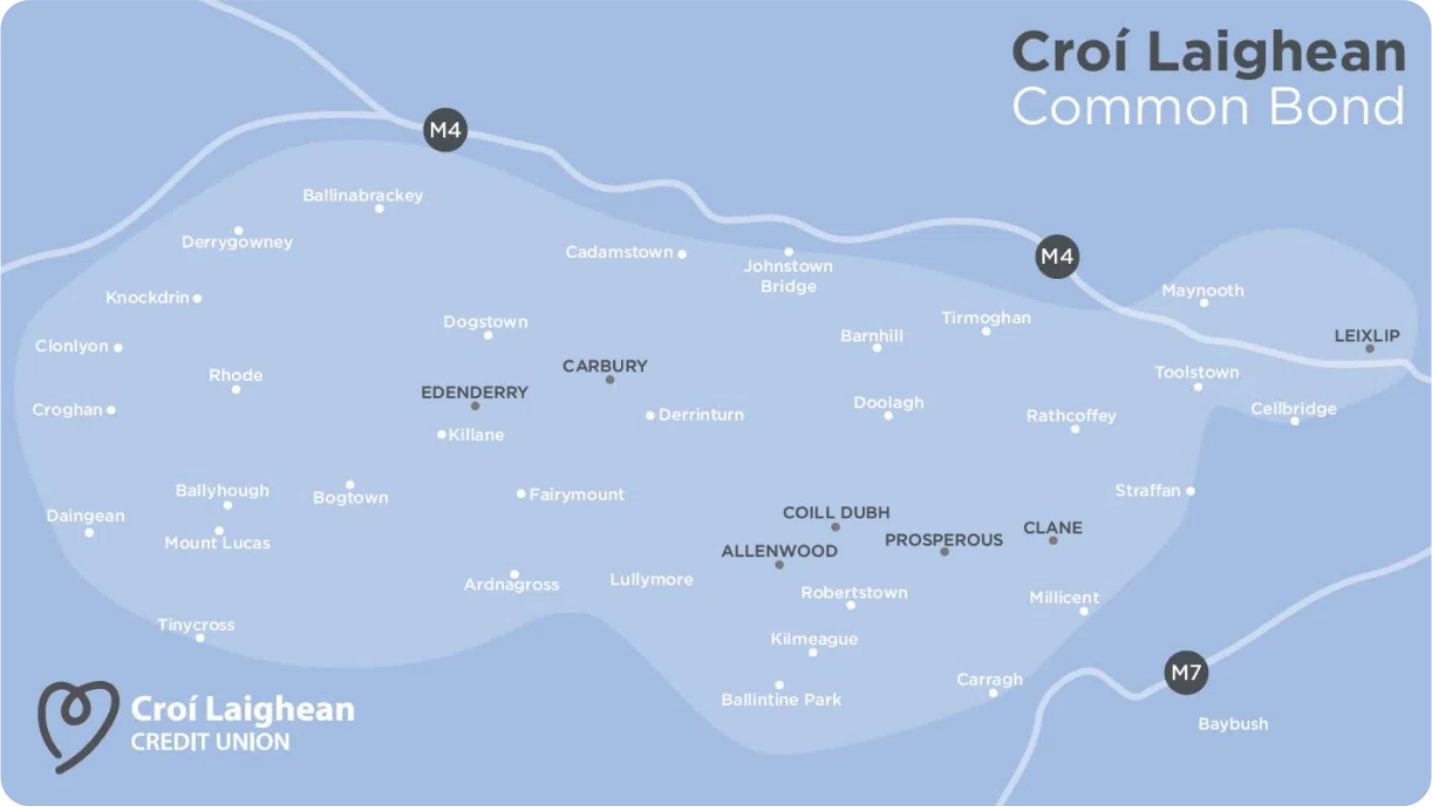
Live or work in our common bond? You could be eligible to join Croí Laighean Credit Union.

Check if you can join

Enter your home or work address to check your eligibility.

Your home or work address
Croí Laighean Credit Union logo

Not sure about your address? Our Membership Team can help.

Towns & Communities We Serve

Everything you'd expect from a bank. And then some.